Understanding UI/UX Flow Charts in App Development
App Overview
In a digital world filled with options, understanding the fundamentals of UI/UX flow charts is like finding a compass in a dense forest. Flow charts serve as visual aids that not only map out the functionality of an app but also delineate the user's journey step by step. They transform a complicated algorithm into a digestible format that both developers and users can grasp. For an app to effectively meet its intended purpose, leveraging these flow charts is pivotal.
Prelims to the App and Its Main Features
Imagine an app designed to streamline your daily tasks, whether it's managing your time or planning a week’s worth of meals. The core features might include task assignments, deadlines with reminders, and even a shared calendar that friends and family can use for better coordination. In this scenario, UI/UX flow charts illustrate how users interact with each feature, clarifying the process a user will follow to achieve their goals—be it checking off completed tasks or scheduling appointments seamlessly.
Key Functionalities and Benefits of the App
The primary functionalities could range from simple task management to more complex collaborative projects. Here are some key benefits:
- Enhanced User Experience: Visualizing the app's flow makes it easier to understand how users navigate through features, minimizing confusion.
- Identifying Bottlenecks: Flow charts help in spotting potential hiccups in user interaction, allowing for proactive solutions.
- Feedback Loop: Iteration based on flow chart analysis fuels continuous improvement, enhancing the app’s utility.
By becoming familiar with how to implement and read these charts, app developers can create smoother and more enjoyable experiences for their users, ensuring that every click counts and every swipe tells a story.
Step-by-Step Walkthrough
When developing an app, it’s essential to establish a straightforward guide that aids in understanding how users are supposed to interact with the app. This includes every stage, from launch to completion, providing a frictionless journey.
Detailed Instructions on How to Use the App
- Launch the App: Start by tapping the app icon on your home screen. Make sure notifications are enabled for an uninterrupted experience.
- Create an Account or Log In: Provide necessary details such as email and password. This step ensures data is saved and synchronized across devices.
- Explore Features: Navigate through the home screen, recognizing key functionalities like task creation, reminders, and sharing options.
- Set Up Preferences: Customize settings according to your needs, such as notification sounds or appearance themes.
- Start Adding Tasks: Begin inputting tasks with deadlines, ensuring you utilize features like categorization for better organization.
Screenshots or Visuals for Each Step
While it’s beyond the scope of this guide to provide visuals, imagine clear, step-by-step images depicting each action—these can prove invaluable in clarifying the user journey.
Tips and Tricks
To truly master the art of using your app, a few insider tips can make all the difference.
- Utilize Keyboard Shortcuts: Familiarize with shortcuts to complete tasks without navigating through multiple screens.
- Leverage User Feedback: Incorporating user suggestions can lead to enhancements, thereby continuously refining the app’s functionalities.
- Regular Updates: Keeping the app updated is crucial for optimal performance, ensuring you're always equipped with the latest features.
Common Issues and Troubleshooting
Even the best apps can encounter hiccups along the way. Providing robust troubleshooting mechanisms helps users remain engaged rather than frustrated. Some common problems they might face include:
- Login Issues: In case of failure to log in, double-check credentials and ensure no updates need to be installed.
- App Crashing: Regularly restarting your device can clear temporary issues that may lead to crashes.
- Feature Malfunctions: If a specific function isn’t working, try reinstalling the app or reaching out to customer support for assistance.
Potential Problems Users May Encounter
Being aware of potential pitfalls is part and parcel of a good user experience. Users should be educated about common challenges they might face while navigating the app.
App Comparison
In today's competitive landscape, understanding how your app stacks up against the competition can provide crucial insights. By comparing with similar apps, you can highlight unique selling points.
- Feature Set: Identify unique functionalities that stand out in your app.
- User Interface Design: Assess how your app's design enhances or detracts from the user experience compared to others.
- Performance Metrics: Look into speed and responsiveness, which can be a game-changer in user satisfaction.
By weaving together these varied elements, developers foster a holistic approach to app design. With clear insights into UI/UX flow charts, they position themselves to craft experiences that resonate with users, laying foundations for apps that are not only functional but also enjoyable.
Prologue to UI/UX Flow Charts
In today's fast-paced digital landscape, creating applications that resonate with users isn't just a luxury; it's a fundamental necessity. With the growing complexity of app development, understanding UI/UX flow charts has become increasingly important. These flow charts serve as blueprints that guide designers and developers, ensuring that every facet of user interaction is thoughtfully planned and executed.
Flow charts aren’t just about aesthetics; they are a practical tool for visual communication of the user experience. They delineate the pathways that users might take through the application, helping to foresee bottlenecks and optimize usability. Without a clear flow chart, a development team might find themselves running around like a headless chicken, unclear about user expectations. Thus, they lay the groundwork for how users interact with an app, making it easier to identify issues and refine the design before heavy coding investment occurs.
Importance of UI and UX in App Development
When developing an app, distinguishing between User Interface (UI) and User Experience (UX) is crucial.
- UI refers to the visual elements that users engage with — the buttons, icons, images, and layout. It’s all about the look and feel.
- UX, on the other hand, encompasses the overall experience a user has with the application. It’s how easy and pleasing an app is to use from start to finish.
Understanding both UI and UX helps in crafting a flow chart that melds aesthetic appeal with functional efficacy, ensuring that users not only enter the app but also navigate through it smoothly.
Overview of Flow Charts
Flow charts are graphical representations that display processes, workflows, or systems in a step-by-step format. By illustrating the sequence of actions or decisions, they make complex navigation or process easy to grasp. Here are a few components you’d often see in flow charts:
- Start and End Points: These indicate where the process begins and concludes.
- Processes and Decisions: These elements describe actions to take or decisions to make at various junctures.
- Connectors: Lines or arrows that represent the path connections, allowing users to follow the flow of information visually.
Utilizing flow charts effectively is akin to having a roadmap in a crowded city. They help avoid missteps and streamline the development journey, enhancing collaboration among team members by creating a shared understanding of the user’s pathway through the application. In areas where communication tends to break down, these diagrams become indispensable tools.
"A flow chart is not just a diagram; it's a mindset that molds how we approach user interaction."
In the light of all these points, it's clear that flow charts serve as the cornerstone of a cogent UI/UX approach in app development, drastically raising the bar for what a seamless user experience should entail.

The Role of Flow Charts in User Interface Design
In the realm of app development, flow charts emerge as vital tools that outline the user interface's structure and functionality. Their importance can't be understated; they serve not just as a guide but also as a framework that bolsters the entire design process. By illuminating the intricate pathways that users might navigate, these charts become essential for both designers and developers alike.
Mapping User Journeys
Understanding the user journey is like unraveling a tangled ball of yarn; flow charts play a key role in this process, making it a lot easier and more visual. By sketching out each step a user might take—from opening the app to completing a desired action—developers can pinpoint essential touchpoints.
A well-defined flow chart acts as a roadmap, showing where users will likely get hung up or lose interest. This information is invaluable. If a user has to click through three screens to reach their goal, chances are they might give up before getting there. Mapping these journeys helps pinpoint friction points and areas of improvement before a single line of code is written.
For example, think about a shopping app. The flow might go from discovering a product to adding it to the cart and finally checking out. A flow chart can reveal if users are likely to get lost between steps or if the checkout process is overly complex. Thus, by seeing the user journey laid out, developers can streamline and enhance that process to make it more intuitive and user-friendly.
Enhancing Communication among Teams
Flow charts serve another crucial purpose: boosting communication among diverse teams involved in the app development process. When designers create visual representations of user flows, it becomes significantly easier for all stakeholders—developers, project managers, and even marketers—to discuss and understand the interface's layout and logic. Misunderstandings are often at the root of project delays, and flow charts offer a common language that minimizes the chances of miscommunication.
Picture a scenario where developers and designers are speaking different design languages. Chaos can ensue. However, with a flow chart, everyone is on the same page. The purpose and sequence of user interactions are laid out clearly, allowing teams to spot potential hiccups collaboratively. This clarity not only saves time but also enhances overall team morale. Everyone feels like they're pulling in the same direction, making the design process more streamlined and enjoyable.
"Effective communication is the bedrock of successful collaboration; a flow chart is like a guide that keeps everyone on track."
In short, the role of flow charts in user interface design transcends mere documentation. They lay the groundwork for improved user experiences and foster cohesive teamwork, ensuring a smoother development process. By implementing flow charts, teams can turn abstract user paths into concrete plans, ultimately enhancing the final product.
In the end, whether you’re crafting a robust e-commerce platform or a simple utility app, integrating flow charts into the design phase is an investment that pays dividends. Quality user experience doesn’t just happen; it’s built step by step, starting with the clarity and direction flow charts provide.
Key Components of UI/UX Flow Charts
In the realm of app development, UI/UX flow charts serve as essential tools for guiding the design and user experience. They break down complex processes into manageable pieces, offering clarity to both developers and users alike. Understanding the key components of these flow charts not only aids in effective communication but also enhances the overall quality of the application being developed. Here, we will discuss the distinct elements that form the backbone of UI/UX flow charts, providing insights that highlight their significance.
Start and End Points
Every flow chart begins with a clear starting point and concludes with an end point. These markers are critical as they delineate the boundaries of the process. A well-defined start point indicates how a user enters the system, while the end point signifies the completion of the task at hand.
For example, if you're designing a shopping app, the start point might be the moment a user opens the app or logs into their account. Conversely, the end point could be reaching the confirmation page after a successful purchase.
This straightforward delineation not only streamlines user navigation but also frames the user’s experience effectively. It’s like setting the stage for a play; if the audience knows where the performance begins and ends, they are likely to engage better throughout.
Processes and Decisions
Flow charts thrive on the processes and decisions that users navigate along their journey within the app. These elements can be thought of as step-by-step instructions guiding a user through various functionalities. Using basic shapes such as rectangles for processes and diamonds for decision points, these components clarify how users interact with an app.
Think of the processes as a recipe. Just like you need to follow specific steps to bake a cake, users must engage in several actions to achieve their goals in an app. Decisions, on the other hand, introduce a layer of complexity by offering paths based on user choices. For instance, if a user is selecting a product, the next step could either lead them to the checkout process or return them to the catalog based on their decision. This aspect of flow charts is essential in mimicking real-world interactions, which ultimately enhances usability.
Connector Types and Their Uses
Connectors are the unsung heroes of flow charts, symbolizing relationships between various components. They guide the flow of information or actions from one point to another, making sure the user’s path remains clear. In UI/UX flow charts, connectors can take various forms such as arrows or lines, each signifying different types of relationships or flows.
Using clear and concise connectors helps avoid confusion. For example, a dotted line might represent optional paths, while a solid arrow illustrates a mandatory flow. Additionally, color coding connectors based on different action types can further improve clarity. Ensuring every connector is purposeful allows designers to craft intuitive experiences, akin to road signs helping drivers navigate their journeys without a hitch.
Types of Flow Charts in UI/UX Design
Understanding the types of flow charts relevant to UI/UX design is crucial for effective app development. Each type lends itself to unique benefits depending on the user scenario and the information that needs to be conveyed. Familiarizing yourself with these categories can significantly enhance the clarity and functionality of your design.
Basic Flow Charts
Basic flow charts serve as the backbone of UI/UX documentation. They are straightforward visual representations that map out processes step-by-step, allowing designers and developers to visualize the flow of a user's journey through an app.
Key elements of basic flow charts include:
- Start and End Points: These define where the flow begins and ends, clarifying the overall journey.
- Processes: Each action taken by the user or system is represented clearly, giving insight into user interactions.
- Sequential Flow: The layout typically follows a linear path, making it easy to understand how tasks relate and progress.
When utilized properly, a basic flow chart can both simplify complex processes and serve as a launchpad for more detailed diagrams. This type can be particularly effective for new developers, as it fosters an understanding of the initial user experience.
Swimlane Flow Charts
Swimlane flow charts add another layer of complexity and organization. They divide processes into lanes that clearly differentiate responsibilities or roles, whether for users or systems. This visual differentiation can drastically improve communication among team members working on an app.
Important features include:
- Role Assignment: Each lane may represent a different user type or system function, thus clarifying who does what in the flow.
- Parallel Processes: They illustrate how multiple actions can occur simultaneously, providing a clearer picture of how various components interact.
- Enhanced Clarity: The separation into lanes helps prevent confusion about accountability and responsibility.
Using swimlane charts is particularly crucial in collaborative environments where multiple contributors need to stay aligned on their tasks. This type brings a good balance between complexity and clarity, making it easier for all team members to stay up to speed.
Decision Trees
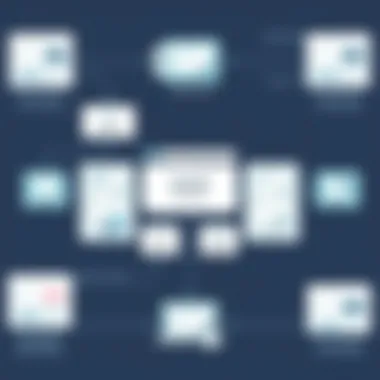
Decision trees allow for sophisticated branching, reflecting a series of decisions that help guide the user's journey through various options within an app. Unlike linear models, decision trees accommodate more complex scenarios where user choice impacts the subsequent flow.
Critical aspects of decision trees include:
- Branching Options: They showcase alternative paths based on user decisions, which is useful for demonstrating how diverging methods lead to different outcomes.
- Sequential Decisions: Each branch typically leads to more choices, allowing for deeper exploration of user interactions.
- Outcome Visualization: Ultimately, this type captures potential results of each decision, thus preparing users to understand their choices better.
Implementing decision trees ensures that designers consider every facet of the user experience. This can drastically improve not only user satisfaction but also retention, as individuals feel more in control of their interactions.
"Flowcharts are like maps; they show you where to go and what to expect along the way."
Incorporating various types of flow charts within the UI/UX design process can transform the way developers conceptualize user interactions, making the journey smoother and more intuitive. Each type serves its purpose efficiently, providing insights that guide adjustments and refinements necessary for optimal user experience.
Creating Effective UI/UX Flow Charts
The effectiveness of flow charts in UI/UX design cannot be overstated. When crafting an app, designers and developers benefit immensely from well-structured flow charts. These charts act as a roadmap, helping visualize the user journey, clarifying processes, and establishing an effective communication channel among team members. An effective flow chart not only simplifies the development process but also enhances the final product by addressing user needs more accurately.
Identifying User Needs
The cornerstone of any effective UI/UX flow chart lies in understanding the user's needs. Before beginning the actual design, it is essential to gather and analyze user data. Surveys, interviews, and user testing can provide valuable insights into user behavior and preferences. By listing out features that users deem essential, designers can tailor the flow chart to focus on what matters most.
- Persona Creation: Develop user personas that epitomize key audience segments. This helps in identifying the specific user journeys that need to be mapped out.
- User Scenarios: Write user scenarios that illustrate common interactions within the app. This method assists in visualizing the path users might take, ensuring all aspects are covered.
Understanding user needs leads to designing experiences that resonate, thus making flow charts not simply diagrams, but powerful tools for innovation.
Structuring the Flow Chart
After identifying user needs, the next step is to structure the flow chart. A well-organized flow chart should have a clear logic that guides the user from point A to point Z without any hiccups along the way.
- Start and End Points: Every flow chart should clearly define where the user starts and where they end. This creates a sense of direction.
- Labeled Steps: Each step in the flow chart must be correctly labeled, whether it’s a process or a decision point. This ensures abstract ideas are articulated into concrete actions.
- Color Coding: Using different colors can help segment parts of the flow chart, making it visually easier to follow.
A clean and intuitive structure will facilitate a logical flow that takes users through complex processes without overwhelming them.
Incorporating Feedback Loops
Incorporating feedback loops is crucial in creating an agile design process. Without integrating user feedback, a designer operates in a vacuum, potentially missing crucial insights.
- User Testing: Regular user testing can reveal insights that are often overlooked. Add checkpoints in the flow chart for user feedback, allowing iterations to improve user experience continually.
- Adjustment Points: Designate specific points in the flow chart where adjustments can be made based on analysis. This ensures that the design evolves in tandem with user expectations.
- Collaborative Reviews: Involve team members in reviewing the flow charts to gather diverse perspectives and identify any blind spots.
Integrating feedback into the flow chart enhances the design's adaptability and effectiveness, ultimately improving the overall user experience.
Key Insight: Effectively mapping user needs, structuring the chart clearly, and incorporating feedback loops can significantly enhance the quality of UI/UX flow charts, leading to a more user-centric app design.
Common Mistakes in UI/UX Flow Charts
Creating UI/UX flow charts is a critical step in the app development process. However, many designers and developers fall into traps that can detract from the effectiveness of these tools. By identifying common mistakes and addressing them, teams can harness the full potential of flow charts to enhance user experience.
Overcomplicating the Design
One of the primary errors seen in UI/UX flow charts is overcomplicating their design. In the heat of brainstorming sessions, it’s easy to morph a simple idea into an intricate web of boxes and lines that only confuses anyone who tries to interpret it.
The goal of a flow chart is to clarify processes, not obfuscate them. When creating these diagrams, simplicity should be the name of the game. A straightforward flow chart will effectively communicate the user's journey through the app without causing a headache for the viewer.
- Keep It Simple: Use clear, concise language and avoid jargon unless it is commonly understood in your development team.
- Limit Steps: Each stage of the user journey should be easily recognizable and logical. If the path stretches longer than a few pages or contains too many options, consider cutting down on the branches.
- Use Standard Symbols: Employ widely recognized shapes and symbols for processes and decisions. This familiarity aids in quicker understanding by others.
"A clear chart speaks louder than elaborate words."
Neglecting User Perspective
Another pitfall is forgetting to keep the user's perspective front and center. Flow charts should be crafted with the end user in mind. That’s who the design is ultimately intended to serve. Designers can sometimes get so absorbed in technicalities or the latest design trends that they overlook realistic user behavior.
- Involve Users Early: Involve potential users from the beginning stages. Their feedback can provide invaluable insights into which paths make sense and which likely won’t.
- Conduct User Testing: Test your flow charts with real users. Watching them navigate the chart can reveal unforeseen complications or confusions.
- Scenario-Based Design: Create flow charts based on genuine user scenarios to better understand how people actually interact with your app.
Ignoring Iterative Testing
Lastly, many folks fail to incorporate iterative testing. Just like app development itself, flow charts benefit from being tested and adjusted over time. When one iteration doesn't work, revise it rather than stay stuck on the same flawed version.
- Regular Updates: As user feedback comes in, be open to tweaking the flow chart to reflect new information and insights. What may have worked once may not resonate later.
- Seek Peer Review: Sometimes a fresh set of eyes on the chart can highlight flaws or oversights you missed. Colleagues might spot complexity or confusion that you might still be content with.
- Document Changes: Keep a record of changes made to the flow chart through the testing process so that you can analyze what improvements had the most positive impact.
Tools for Creating Flow Charts
In the realm of UI/UX design, being equipped with the right tools can make all the difference. Tools for creating flow charts aren't merely helpful; they are essential for translating complex ideas into visual formats that are easy to comprehend. Such tools facilitate the mapping of user journeys, enabling insights into the necessities and expectations of users while allowing designers and developers to communicate effectively.
When discussing these tools, it’s crucial to recognize the various types available, from robust software applications that offer advanced functionality to simpler online platforms for quick diagramming needs. By selecting the right tool, teams can enhance their workflows, simplify collaboration, and ultimately deliver superior user experiences in the apps they develop.
Software Options for Designers
When it comes to software options, there are numerous choices tailored specifically for designers. These applications often provide a suite of features ideal for creating detailed and intricate flow charts. A few notable choices include:
- Lucidchart: A favored choice among many professionals, Lucidchart allows for seamless collaboration. It features an intuitive interface and supports various diagram types, making it suitable for flow charts, wireframes, and organizational charts alike.
- Microsoft Visio: For those already immersed in the Microsoft ecosystem, Visio offers an excellent solution. It's powerful and integrates smoothly with other Microsoft tools, providing a plethora of templates and shapes specifically designed for UI/UX professionals.
- OmniGraffle: Particularly popular among Mac users, OmniGraffle excels in creating precise and beautiful graphics. Its features cater well to both novice and experienced designers, making it versatile for different skills levels.
- Sketch: While primarily a vector design tool, Sketch has robust plugins available that support flow chart creation. This makes it a top choice for designers looking to integrate UI design with flow chart mapping in one platform.
Each of these tools has its own strengths, and the choice often comes down to individual or team preferences, the complexity of projects, or specific integration needs.
Online Platforms Available
On the other hand, online platforms provide a flexible and accessible approach to flow chart creation. These tools often require little in the way of setup and can be used from virtually anywhere with an internet connection. Some popular options include:
- Draw.io: This free tool is user-friendly and efficiently supports various flow chart types. It seamlessly integrates with Google Drive and other cloud storage solutions, making it easy to save and share diagrams.
- Creately: An excellent online platform that scores high on collaboration features. Creately allows multiple users to work on the same document, ensuring teamwork is streamlined, especially in remote working settings.
- Coggle: Specialized for mind mapping and flowcharts, Coggle stands out for its simplicity and ease of use. It’s particularly effective for brainstorming sessions, where teams can visually explore ideas together.
- Miro: A collaborative online whiteboard platform that excels in facilitating brainstorming sessions. Miro offers a myriad of templates, including those for flow charts. It’s great for teams looking for an engaging way to visualize their thoughts across diverse projects.
Selecting the proper online platform often hinges on the specific needs of a project or team. Factors like real-time collaboration, ease of use, and budgeting have to aligned with team goals, ensuring everyone can contribute to the flow chart design process.
Understanding the tools available for creating flow charts can enrich the design process, boost productivity, and ultimately improve the user interface design and user experience within applications. As your team grows accustomed to these tools, creating effective flow charts will become a more intuitive and essential part of your workflow.
Impact of UI/UX Flow Charts on User Experience
Flow charts play an essential role in shaping user experience, especially in the world of app development. They serve as a vital tool that bridges the gap between the creative and technical aspects of creating an application. By detailing the specific path users take through an interface, flow charts help in crafting fluid and engaging experiences. Here, we break down the various ways flow charts influence user interaction and satisfaction.
Facilitating Intuitive Navigation
One of the primary benefits of using UI/UX flow charts is their ability to enhance navigation. When a user interacts with an app, their expectation is to find what they seek without much hassle. Flow charts support this goal by mapping out clear, logical paths that developers can follow.
Consider a food delivery app. When a user wants to order a meal, the flow chart offers a step-by-step guide from selection to payment. Each decision point—choosing a cuisine, selecting dishes, and confirming the order—unfolds seamlessly.
Key aspects to consider include:
- User Mental Models: Users form expectations based on experience. Flow charts help align app design with these models.
- Feedback Loops: Integrating feedback mechanisms ensures users know their current step, reducing frustration.
- Error Prevention: Flow charts assist in identifying areas where users might get stuck or confused, enabling developers to refine those steps.
"That clarity in navigation is like a roadmap for users; it leads them straight to their destination without detours."
When navigation is intuitive, users are likely to feel more at ease. This ease translates directly into elevated satisfaction levels, leading to a positive overall experience.
Increasing User Retention
User retention is the zenith of app success, encapsulating the ability to keep individuals coming back. A well-structured flow chart can significantly impact this aspect. When users find an app rewarding and easy to navigate, they become loyal.
Here are some factors that underlie this relationship:
- Consistency Across Touchpoints: Well-designed flow charts ensure all parts of the app maintain consistency, which breeds familiarity.
- Streamlined Onboarding: A clear flow chart can facilitate an effective onboarding experience, guiding new users through app features without overwhelming them.
- Personalization Elements: Flow charts allow for the mapping of user preferences, enabling tailored recommendations as users engage, which can contribute to higher retention rates.
Integrating the insights gained from flow charts into the user experience does wonders. By making navigation seamless and retention strategies robust, developers set the stage for a lasting bond with their users.
The impact can be potent—app users who have positive experiences are not just likely to return but also recommend the app to others, creating a viral effect. Thus emphasizing the crucial role flow charts play in fostering engaging and sustainable user experiences.
Future Trends in UI/UX Flow Chart Design
The landscape of UI/UX flow chart design is evolving at a breakneck pace, and it is crucial for app developers and designers to stay ahead of the curve. These trends not only influence how flow charts are constructed but also enhance overall user experience. Understanding these shifts is essential for creating intuitive applications that resonate with users. In this section, we will explore two significant trends: the integration of artificial intelligence and a move toward personalization and user-centric design.
Integration with Artificial Intelligence
Artificial intelligence, or AI, has crept into nearly every aspect of technology. Its application within UI/UX flow chart design is no different. By incorporating AI, flow charts can evolve from static diagrams into dynamic models that provide real-time insights based on user interaction data. For instance, imagine a flow chart that adjusts itself based on how users navigate through an app, providing visual feedback for common paths taken or obstacles encountered.
Benefits of AI integration in flow chart design include:
- Data-Driven Adjustments: AI can highlight key interactions that users struggle with, allowing designers to improve those areas.
- Predictive Analytics: Flow charts can predict user behavior, leading to more efficient app layouts and navigational flow.
- Simplified Decision Making: With AI’s ability to analyze vast amounts of data, design teams can make informed decisions quicker and with higher accuracy.
However, integrating AI into flow chart design is not without its challenges. Developers must ensure that AI analytics are transparent and that users understand how their data is applied. It’s also essential not to overload the user with insights. Oversimplification is key here; keeping flow charts both informative and digestible is paramount.
"AI is a tool that can guide us, but we must not forget the foundational principles of good design."
Personalization and User-Centric Design
Another trend reshaping how UI/UX flow charts are designed is personalization. With users expecting customized experiences, the role of user-centric design has never been more important. Flow charts are becoming vehicles for personalization by mapping out unique user journeys based on preferences, behaviors, and history. Instead of a one-size-fits-all approach, designers are carving out tailored paths for different user segments.
Key aspects of personalized design in flow charts include:
- User Segmentation: By categorizing users based on behavior and preferences, designers can produce flow charts that cater specifically to each group.
- Adaptive Interfaces: Flow charts can guide the design of interfaces that adapt in real time to user needs, creating a seamless transition from one feature to another.
- Feedback Mechanisms: Incorporating user feedback loops within flow charts helps designers to iteratively refine applications based on real user interactions, rather than assumptions.
It's critical to remember that while personalization enhances the user experience, it also requires a careful balance with privacy considerations. Users today are increasingly aware of how their data is used, and it’s vital for app developers to foster trust through transparency and secure data practices. With these considerations in mind, flow charts can lead users down personalized paths that not only meet their needs but also exceed their expectations.
Culmination: The Importance of Flow Charts in App Development
Flow charts play a pivotal role in the app development process, acting as visual roadmaps that guide both designers and developers throughout the intricate journey of creating a user-friendly application. Without these diagrams, the likelihood of miscommunication increases, causing teams to veer off course. They help in breaking down complex systems into digestible parts, allowing for better focus on user needs and overall coherence in design.
When reviewing the workflow of an app, flow charts serve to clarify the logical progression of actions users take. They reflect user interactions and facilitate smoother navigation by identifying potential bottlenecks or issues that may confuse users. These flow charts are not just useful at the planning stage; they continually serve as references that ensure everyone is aligned on the project's direction.
Moreover, flow charts foster collaboration among team members. Designers can illustrate their ideas to developers who might not have a design background, thus creating a more inclusive environment for feedback and iterations. This collaborative aspect ultimately leads to a well-rounded final product that resonates with users.
Additionally, the usage of flow charts is also meaningful for evaluating user experience post-launch. They allow developers to identify gaps in functionality, prompting necessary modifications based on actual user behavior. This ongoing analysis feeds into the design thinking model, reinforcing the notion that the user experience should always be at the forefront of app development.
In short, flow charts are indispensable tools that help forecast, shape, and refine user interactions within apps. Their value extends beyond initial design phases into continuous improvement and future updates, making them vital in ensuring success within the digital landscape.
Recap of Key Takeaways
- Flow charts simplify complex processes, making them easier to understand for team members and stakeholders.
- They help in visualizing user journeys, clarifying decision points, and identifying user needs.
- Risk mitigation through flow charts facilitates proactive problem-solving.
- Collaborating through flow charts ensures that all team members share a common vision.
- Continuous evaluation and iteration based on flow charts help maintain high-quality user experiences.
Future Directions for Designers and Developers
As technology continues to advance, the role of flow charts in app development is expected to evolve as well. Here’s a glimpse of what the future holds for these essential tools:
- Integration with AI Tools: Future flow chart software could leverage artificial intelligence to analyze and suggest improvements based on data gathered from user interactions.
- Enhanced Interactivity: Flow charts may become more interactive, allowing real-time updating and collaboration among teams through advanced online platforms.
- Virtual Reality (VR) and Augmented Reality (AR) Applications: In the coming years, flow charts might take on new dimensions by representing user journeys in immersive environments, offering insights that traditional formats may not provide.
- Personalized User Experiences: As personalization becomes the norm, flow charts could be adapted to reflect user preferences and behaviors, leading to more tailored app experiences.